
Replay AC1 and AC2 Story Missions on Xbox 360
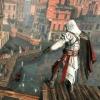
An Xbox Memory Unit and Transfer Kit make it possible for a user to replay any assassination mission almost directlyAn Xbox Memory Unit and Transfer Kit make it possible for a user to replay any mission almost directly. You can skip to a point just before an assassination mission, which saves a tremendous amount of time. It takes some money and effort to set this up, but it is well worth it since it makes the game vastly more pleasant to replay.
Note that this process works exactly the same way on both Asssassin's Creed 1 and 2. The main difference is the filename: "assassin.sav" on AC1 and "ASSASSINSCREED2SAVEGAME1" on AC2.
Purchase the following items:
Xbox 360 Memory Unit
Transfer Kit for Xbox 360
If you have an Xbox Arcade configuration without a hard drive, you CAN get away with using a single memory unit and running it back and forth between the Xbox and PC. However, it will be more convenient to use two memory units. Treat one of the memory units as your "hard drive" and follow the steps in the video.
Create the following folders on your PC:
MB2 - Tamir
MB3 - Garnier
MB3 - Talal
MB4 - Abul
MB4 - William
MB4 - Majd
MB5 - Sibrand
MB5 - Jubair
MB6 - Robert 1
MB6 - Robert 2
Never start a game using the Memory Unit as your storage device. It only contains "golden" savegames and must not be updated by the game's auto-save mechanism.
Start a new game. Play through the game as you would normally, but archive your savegame each time you've completed your investigations. Quit the game. Copy your savegame from the hard disk to the memory unit. Take your memory unit to your PC and copy it to the folder with the appropriate name (using the Transfer Kit and XPort 360 software). Relaunch the game, talk to the Bureau leader, and continue playing.
If you want to replay an assassination, reverse the procedure. Copy the savegame from your PC to the memory unit using XPort. Then copy from the memory unit to your Xbox hard drive. Your mission will reload in the Bureau. Don't leave for the assassination yet - you still need to talk to the Bureau leader first.
The gameplay isn't the same as when you simply reload a previous memory block from the Animus. This has some benefits and disadvantages. Here are the main differences:
1) You may not have as much health. Ordinarily, the bonus sync bars that you earn by completing viewpoints and save citizens can be applied to previously played Memory Blocks that are reloaded using the Animus. Typically, this extra health only really matters when performing stunt assassinations.
2) You will be penalized for injuring civilians. This also means that you can easily commit suicide to restart an assassination attempt. Just kill a few civilians.
3) You will have more abilities in some missions. For example, if you played Garnier before Talal in Memory Block 3, your savegame of Talal will have throwing knives.
4) You won't have Eagle Vision unless you are fully synchronized.
5) Any new viewpoints and save citizens will not be saved for future gameplay, so you can't build up your sync bar.
6) Flags and Templars will not be saved for future gameplay. This makes it easy to replay Templar assassinations.
Thanks to IanXO4 and mshi for their contributions to this strategy.
There is an analogous process on PS3 and PC. For PS3, see this video. For the PC, go here.
Does anyone know if it's possible to back up saves on PS4?


Yup, it is. Pretty easy too.
Just get a USB Drive and use the "Copy to USB" Function.
Then when you want to put it back, you'd "Copy to System Storage" from USb.
Thanks, DAZ. Do you know if the save can be moved from the flash drive to a computer? The reason I want to save a PS4 file is because of a cool glitch in an online game. You used to be able to swap textures for two different kinds of clothing. It's been patched so you can't do it anymore, however, if you still had the glitched clothing you'll keep it as long as you don't change the clothing for that character. most of the glitched clothes look awful, but some are pretty cool. I was hoping to back up a save in case I accidentally change clothes.
Yes you can!  It's awesome, just Drag and Drop your PS4 Saves folder to your computer. Then when you want it again you can transfer it back over. Different games will have different serial numbers, so I can't help you there, but the files are tiny enough that you can really just copypaste the entire "parent" folder and keep things organized that way.
I'm looking into doing this. Before I do so, I'm going to go through my plan logistically to see if there are any holes.
So the following procedure SHOULD work using a USB for game saves for these titles...
To save a file for AC2:
1 - Play up to the spot I want the game save.
2 - Transfer game data from Xbox Hard Drive to USB.
3 - Take USB to computer.
4 - Find game save on USB.
5 - Transfer game save files to new PC folder. Name the FOLDER whatever I want, but don't change the names of the files.
6 - Done.
To play from a saved game file:
1 - Find file on PC.
2 - Transfer to USB.
3 - Take USB to Xbox.
4 - Transfer files from USB to Xbox Hard Drive.
5 - Play saved game from Hard Drive, NOT the USB.
6 - Assassinate Vieri as many times as I want, as long as I always transfer from USB to hard drive and play from hard drive.
EDIT: ... actually, it shouldn't matter... the game saves are on my PC... I should be able to play from the USB just fine, because the files are overwritten as much as I want going from PC to USB... just NEVER overwrite the files on the PC, and I should be fine too... right? ... but then I guess it would be better for multiple attempts at an assassination to transfer and play from hard drive repeatedly, because this is faster than going back and forth with the PC...
“Force has no place where there is need of skill." Herodotus

This all sounds correct. Recently I've been playing AC2 and backing up savegames for every memory using a USB stick. The software I've been using on the PC is Usb Xtaf Gui Version 44. I've also tried Modio 3.0 and it works too. It comes with a cheat to modify the number of florins in your AC2 savegame. Big deal. In general I prefer Usb Xtaf Gui. My only complaint is that it doesn't let you overwrite ASSASSINSCREED2SAVEGAME1 when copying it from the PC to the USB. My workaround is to delete the save from the USB before copying from the PC.
I've been backing up immediately after pressing  to accept in the dialog box proceeding each memory. This works fine unless you want to do something (e.g. pre-assassinate somebody) before stepping into the tornado of light during a later replay. On my PC I'm creating a folder for each memory:
S01M01 - Boys Will Be Boys
S01M02 - You Should See The Other Guy
S01M03 - Sibling Rivalry
S01M04 - Nightcap
etc.
Inside each folder is a single ASSASSINSCREED2SAVEGAME1 file.
When you have a good set of savegames on your PC then everything on your Xbox and USB can be considered temporary scratch files. If you want to assassinate Vieri over and over, try quitting the game (just exit to the AC2 main menu) during the memory corridor scene after the assassination. When you restart, it will be before the assassination again. This is much faster than exiting the game completely to the Xbox dashboard.
I've been backing up immediately after pressing
So, you press to accept a mission... wait for it to autosave, and exit out?
“Force has no place where there is need of skill." Herodotus
Thanks for the info.
Also, is it needed to use outside software? This is what I was unsure of. If you can see all hidden folders on your USB stick, would you be able to move them manually without the other software? If not, it looks like I need to look into this a little more before I try to get started.
Also, this may be a crude selfish attempt, but what stops these save files from being produced and uploaded somewhere to be downloaded en masse to someone else's computer?
Or, another way, if I do this and have a save game for the assassination of Francesco, can I email the file to my friend and he can fire it up and get going without all the tutorials?
“Force has no place where there is need of skill." Herodotus
So, you press Xbox A button to accept a mission... wait for it to autosave, and exit out?
Correct. You can do it before accepting the mission but beware that the last checkpoint might be across town. I haven't tried declining the mission. If that generates a save with Ezio in proximity to the mission, it would be an improvement.
If you can see all hidden folders on your USB stick, would you be able to move them manually without the other software?
LOL - I never thought to try that! Yeah, that might work. The software I mentioned is free:
http://gruntmods.com/Projects/Downloads/USB%20XTAF/USBXTAFGUI_v44
(Add ".exe" to the end of the filename.)
Also, this may be a crude selfish attempt, but what stops these save files from being produced and uploaded somewhere to be downloaded en masse to someone else's computer?
Xbox savegames are encrypted and include your gamertag. In my tests (i.e. passing savegames to/from stabgal) the saves work but give you a warning that Xbox Achievements will not be awarded. I've also read that Microsoft may cancel your Xbox LIVE subscription if you publish savegames.
Awesome info.
I will for sure look into this no later than this weekend. I will also try the  to decline mission and see what happens. From what I remember, it does autosave when you decline. So you should show up close to it. This would allow you to go to the mission start but accomplish some side objectives first, before going to the mission... ie, if you do all your save games with no armor or upgraded weapons, it will allow you to purchase them first. (You can always buy things mid-mission, I suppose. But it would look funny if you're making videos of a mission start-to-finish).
I got the program. I'll try first without it, but it won't be too difficult to use a free program. 
Also, best not mess with Microsoft. I'll keep my savegames to myself... and won't request them from others.
“Force has no place where there is need of skill." Herodotus
One more thing. When you copy the save files from AC1 and 2 onto the memory card they go into there own separate folders. When you transfer a save file from the computer to the memory card make sure it's in the right folder (that's why it's a good idea to always have a save file on the memory card). One time I put a save from AC2 in the wrong folder, and it was recognized as an AC1 save. You'll know if you've done everything right because it will say the current file will be overwritten when putting a save back on the console.
And another thing. AC2 saves are spelled by which save slot they are in.
Slot 1:ASSASSINSCREED2SAVEGAME1
Slot 2:ASSASSINSCREED2SAVEGAME2
Slot 3:ASSASSINSCREED2SAVEGAME3
Is it possible to put a save from one slot to another? 
Is it possible to put a save from one slot to another?
No.
I renamed my ASSASSINSCREED2SAVEGAME2 to ASSASSINSCREED2SAVEGAME3 on my PC. I then transferred this to my USB (still named ASSASSINSCREED2SAVEGAME3). When I plugged it into the Xbox, it was detected as ASSASSINSCREED2SAVEGAME2. You can transfer it to the hard drive and in the game, it shows up as ASSASSINSCREED2SAVEGAME2, not ASSASSINSCREED2SAVEGAME3 like it is on the USB.
The name and location must be encoded somewhere... so it's probably possible if you go in to modify all the data... but not easily.
“Force has no place where there is need of skill." Herodotus
It's USBXTAFGUI.
This sounds like a bad idea. The Xbox wants the memory card to have a certain format, which I suspect the camera will clobber. So you will end up reformatting the memory card before each use. It will do in a pinch but it would be more convenient to have two memory cards. USB memory cards must be a dime a dozen. I've never had to buy one because every time I turn around somebody's giving me one for free.
You have two options when formatting the memory card, configure and customize. Configure formats the whole card, but customize formats only part of it (how much space you choose). I've done this since backing up save files and no problems have occurred.
Did you use USB Xtaf Xplorer, Modio or something else?
I think it was something like that. What's very convenient about all this is the same memory card from the camera I use to record the videos I also use to transfer the files. That's killing two birds with one blade there. 
And lets not forget having to change the save file name back or the xbox won't recognize it.
stabguy wrote:
Did you use USB Xtaf Xplorer, Modio or something else?I think it was something like that.
Oh, sorry. That was a multiple choice question:
- USB Xtaf Xplorer
- Modio
- None of the above
What's very convenient about all this is the same memory card from the camera I use to record the videos I also use to transfer the files.
This sounds like a bad idea. The Xbox wants the memory card to have a certain format, which I suspect the camera will clobber. So you will end up reformatting the memory card before each use. It will do in a pinch but it would be more convenient to have two memory cards. USB memory cards must be a dime a dozen. I've never had to buy one because every time I turn around somebody's giving me one for free.
And lets not forget having to change the save file name back or the xbox won't recognize it.
I never change the name of the file to begin with so there's no need to change it back. To identify and organize save files on the computer, use descriptive folder names like "AC2/S2M3 - Uberto Alberti". I will address this in the updated video as it could be a common pitfall.
Well I changed the game file name back and it worked! Thanks a bunch, Jedted. 

this is coming up as a private video. can you change the youtube settings back to public?
Huh. I wonder how that happened. Fixed.
Recent news indicates that sometime in the near future Microsoft will be releasing a new feature update for the Xbox 360 which will enable using "USB mass storage devices" in lieu of a hard drive and/or memory unit. The device must be at least 1GB in size, as up to 512MB of 'system data' is also saved onto the device.
1GB USB thumb drives are pretty cheap these days and you can find them everywhere. Even 7-Eleven sells them. Once this update hits, you won't even need a memory unit to backup your saves.
Microsoft will be releasing a new feature update for the Xbox 360 which will enable using "USB mass storage devices" in lieu of a hard drive and/or memory unit.
This update is now available. It is a mandatory update when connecting to Xbox Live.
Asaic wrote:
Microsoft will be releasing a new feature update for the Xbox 360 which will enable using "USB mass storage devices" in lieu of a hard drive and/or memory unit.This update is now available. It is a mandatory update when connecting to Xbox Live.
About that. When I put the game save on the usb and then tried to put it on the computer it didn't show up. But luckily someone had a program that could extract the game save file. But later when I tried to put it back on the xbox it didn't work.  It still shows it as a game save file when I go to memory but doesn't show up when I go to the Assassins Creed start menu. Does anyone know anything about this? Perhaps someone could make a video on the new way to back up save files (please).
When I put the game save on the usb and then tried to put it on the computer it didn't show up.
The USB will contain one hidden folder called "Xbox360". You can either type that name into Windows Explorer or tell Windows to show hidden files, folders and drives. Inside the folder will be a bunch of files called Data0000, Data0001, etc. Most of these files represent 1GB of free space on the drive in the Xbox filesystem format. Access to this raw data is of little use.
But luckily someone had a program that could extract the game save file.
Did you use USB Xtaf Xplorer, Modio or something else?
Perhaps someone could make a video on the new way to back up save files (please).
I'm planning on it. My new Xbox doesn't have a memory unit connector, so I have to update my procedure anyway. It will be a good opportunity to also update the video to AC2, the title that benefits most from Skipping.
If you change the name of the file then the game doesn't recognize it. Also you can't have two identical save files in the same folder either.
Hope this helps, i've only a little bit of experience with this so i don't know much.
If you change the name of the file then the game doesn't recognize it. Also you can't have two identical save files in the same folder either.Hope this helps, i've only a little bit of experience with this so i don't know much.
HOLEY FREAKAZOID!!!! That explains it. If you change the name back will it work again?
Asaic called my attention to this cheap alternative to the Transfer Kit:
http://cgi.ebay.ca/ws/eBayISAPI.dll?ViewItem&item=110502038559
It also works with the Xport and Xplorer software. This auction ends on April 2, 2010. For future reference, the item name is "PC to XBox 360 Memory Unit Card USB Transfer Adapter". Search eBay and you'll currently find many hits (some as low as $0.99 plus shipping).
Thanks for the tip, Asaic.
Some copies of the Transfer Kit come with a disc containing the application XChange 360 rather than the preferred XPort 360. For those unlucky few, download XPort 360 here:
http://us.codejunkies.com/support/article.aspx?article_id=272
Newer versions of XPort come with an installer that does not automatically install the Memory Unit drivers. When Windows asks for drivers for the newly-found hardware, direct it to the folder in which you installed XPort 360 (usually C:\Program Files\Datel\XPort 360\ for 32-bit Windows or C:\Program Files (x86)\Datel\XPort 360\ for 64-bit Windows).